
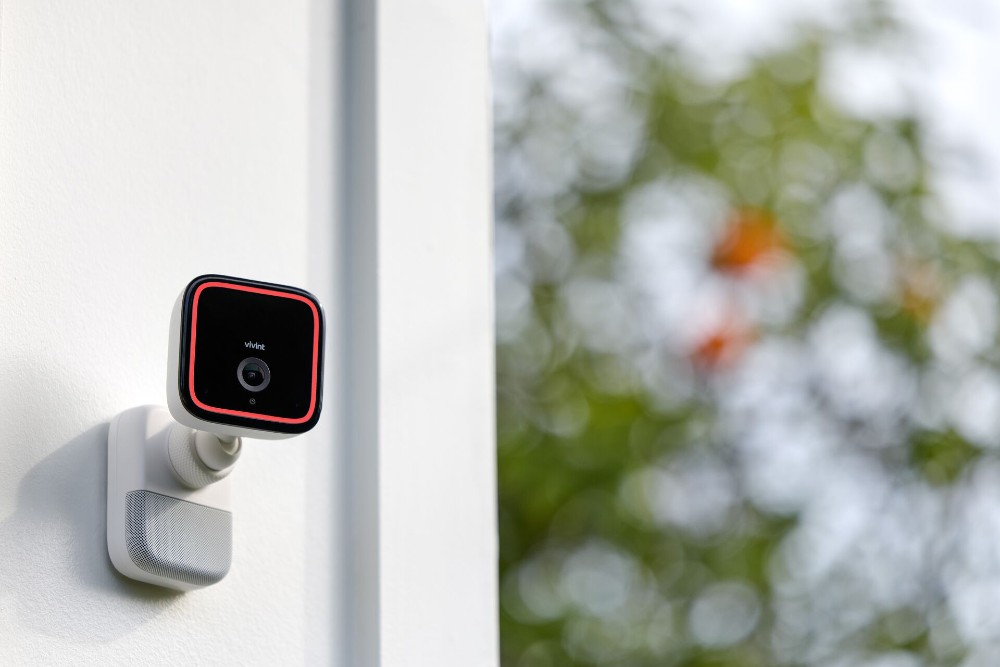
Weak Home Cameras – Improve Coverage Around Entry Points

A home camera can be working perfectly and still provide weak security coverage. Poor angles, excessive distance, glare, blocked views, unreliable wireless connections, and badly chosen mounting positions can leave important entry areas difficult to see.
Improving coverage starts with identifying what each camera needs to capture rather than simply adding more devices.
Identify the Entry Points That Matter Most
Begin with exterior doors, gates, garage access, side passages, and other routes people normally use to approach the property. Walk those routes during daylight and after dark.
General home security reading can help generate ideas, but the useful question is specific: can your current camera clearly capture activity in the area it is supposed to watch?
A camera aimed across a large yard may technically see everything while showing too little detail where it matters.
Check the View From a Person’s Height
Stand where a visitor would normally approach and look toward the camera. Decorative columns, plants, parked vehicles, porch roofs, and door frames can create blind spots that weren’t obvious during installation.
Practical home-tech resources may encourage different mounting arrangements, but test each position before drilling new holes.
Try several approach paths. Someone walking directly toward a door may be visible while a person approaching from the side remains outside the useful frame.
| Coverage Problem | Likely Cause | Practical Check |
|---|---|---|
| Face too small | Camera too distant | Test a closer angle |
| Washed-out image | Strong light or glare | Check day and night |
| Missing side approach | Narrow field of view | Walk alternate routes |
| Video drops | Weak connection | Test signal stability |
Test Daytime and Nighttime Separately
Good daytime footage doesn’t guarantee useful night coverage. Porch lights, vehicle headlights, reflective walls, streetlights, and dark corners can all change what the camera records.
Review actual saved footage rather than relying only on the live installation preview. Broader digital safety reading can support your planning, while your own recordings reveal whether the chosen position performs under real conditions.
Check several nights if exterior lighting changes depending on vehicles, neighboring lights, or motion-triggered fixtures.
Reduce Wireless and Power Weaknesses
A perfect viewing angle isn’t helpful if the camera repeatedly loses its network connection or power. Test the device from its final mounting location before assuming a connectivity problem is solved.
Walls, masonry, metal structures, distance, and other obstacles may weaken wireless performance. Battery-powered units also need realistic maintenance intervals based on activity levels and environmental conditions.
Confirm that alerts and recordings actually arrive when expected. A system shouldn’t be judged only by whether the live picture appears when you open the app.
Common Camera Placement Mistakes
Mounting cameras extremely high can create impressive-looking coverage while making useful details harder to capture. Wider isn’t always better.
Another mistake is creating overlapping views everywhere while leaving a side entrance or gate uncovered. Assign each camera a clear purpose.
Privacy matters too. Keep cameras focused on legitimate areas of your own property and consider applicable privacy rules before recording spaces where other people may reasonably expect privacy.
Frequently Asked Questions
Should a home camera point directly at the front door?
It should cover the approach and interaction area clearly. The ideal position depends on the entrance layout, lighting, camera field of view, and obstacles around the doorway.
Is adding more cameras always better?
No. A smaller number of well-positioned cameras can be more useful than many devices that duplicate the same view or produce unreliable footage.
Why does my security camera look worse at night?
Low light, glare, reflections, strong nearby lights, excessive distance, and infrared behavior can make nighttime footage perform differently from daytime video.
Build Coverage Around Real Movement
Walk every important approach route, review recorded footage during different lighting conditions, and adjust angles based on what the camera actually captures.
Focus on clear entry coverage, dependable recording, stable connectivity, and sensible privacy rather than simply increasing the number of cameras installed around the property.