
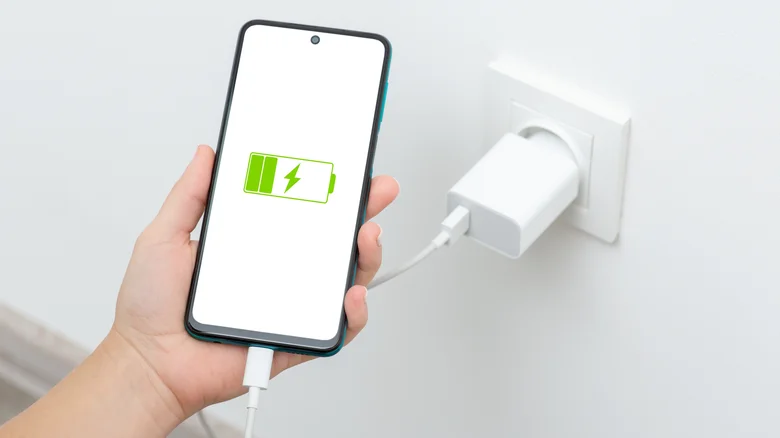
Slow Charging Phones – Improve Charging With Better Habits

Slow charging phones are often caused by the charging setup rather than the battery alone. An underpowered adapter, damaged cable, dirty charging port, high device temperature, heavy use while plugged in, or battery-protection feature can reduce charging speed. Start with the simplest parts of the charging chain before assuming the phone needs repair.
Check the Charger and Cable First
Charging speed depends on what the phone, adapter, and cable can support together. A powerful adapter cannot deliver its full capability if the cable is unsuitable or the phone accepts a lower charging rate.
Try a known-good compatible cable and charger when possible. People troubleshooting electronics often compare general device-care resources with manufacturer documentation, but the manufacturer’s charging specifications are the better reference for compatibility.
Look for Physical Damage
Bent connectors, exposed wire, loose plugs, or cables that only work at certain angles are signs that replacement may be sensible. Damaged charging accessories should not be treated as normal wear.
A connection should remain stable without forcing or twisting the plug.
Clean the Charging Port Carefully
Pocket lint can collect inside a phone’s charging port and prevent the connector from seating completely. A cable may appear connected while making poor contact.
Before cleaning, disconnect the phone from power and follow the device manufacturer’s recommendations. Everyday technology discussions may mention many cleaning tricks, but metal objects, liquids, and aggressive scraping can damage small contacts inside the port.
| Problem | What You May Notice | First Check |
|---|---|---|
| Weak adapter | Charging stays slow | Adapter rating |
| Damaged cable | Intermittent connection | Try compatible cable |
| Dirty port | Plug feels loose | Inspect port |
| Hot phone | Charging rate drops | Let device cool |
Reduce Heat and Heavy Use
Phones may slow charging when internal temperature rises. Gaming, navigation, video recording, hotspot use, or demanding apps can produce heat while the charger is also adding energy to the battery.
Place the device in a cooler environment and stop intensive tasks for a while. Looking through charging troubleshooting content can provide broader context, but extreme heat, swelling, unusual smells, or physical battery damage should be treated as hardware concerns rather than routine charging behavior.
Check Software Charging Features
Some phones intentionally delay or limit charging under certain conditions to support battery longevity. Adaptive or optimized charging features can make charging behavior look unusual even when the phone is functioning normally.
Review battery settings before assuming slower charging automatically indicates a fault.
Mistakes That Can Make Charging Worse
Buying a higher-wattage charger doesn’t guarantee faster charging. The phone must support the relevant charging standard, and the cable must also be compatible.
Another mistake is constantly using the phone under heavy load while evaluating charging speed. If the device is consuming substantial power at the same time, the battery percentage may rise slowly even though the charger is working. Test under similar, low-use conditions before comparing results.
Know When Hardware May Need Attention
Consider professional service if multiple known-good compatible chargers produce the same problem, the port is physically damaged, the device frequently disconnects, or the phone becomes unusually hot during ordinary charging.
Stop using equipment that shows burning, melting, swelling, or other obvious damage. Use manufacturer-approved repair channels or a qualified technician when battery or internal hardware problems are suspected.
Frequently Asked Questions
Why does my phone charge slowly even with a fast charger?
The cable, charging protocol, phone temperature, battery settings, device activity, or the phone’s own maximum charging capability may prevent the adapter from delivering its advertised maximum output.
Does using a phone while charging make it slower?
It can. The phone may consume part of the incoming power while you use it, and demanding tasks can increase heat. Both factors may reduce how quickly the battery percentage rises.
Can a dirty charging port cause slow charging?
Yes. Debris can interfere with proper connector contact. Cleaning should be done cautiously and according to the manufacturer’s guidance because the contacts inside modern charging ports can be easily damaged.
Test the Whole Charging Setup
Don’t judge the battery until you’ve checked the cable, adapter, charging port, temperature, software settings, and device activity. Change one factor at a time and compare the result. If slow charging continues with compatible equipment under normal conditions, a professional hardware assessment may be more useful than buying another random charger.